Web app · Jobs, people and the rate card Change your language or the dark mode
For the owner and the contracts manager
View as Markdown docketplan translates messages on its own servers. No AI does it.
Change your language
- Select your name at the top right. The account menu opens.
- Under Language, pick your language. Each language is in its own name.
- To follow your phone or laptop, pick Like my device.
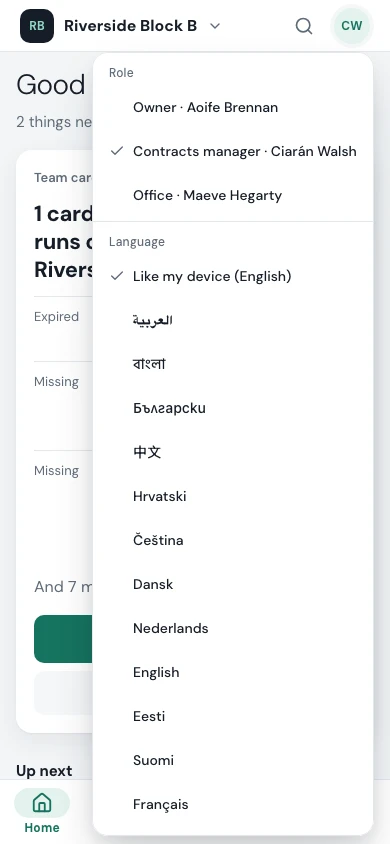 The account menu, with Language, the dark mode and Help.
Change the dark mode
- Select your name at the top right.
- Select Turn dark mode on. To turn it off, select it again.
- For more choices, select Settings. Under Light or dark, pick Light, Dark or Like my device.
Open the help
- Select your name at the top right.
- Select Help. The help opens in a new tab. Your docketplan page stays as it was.
Hide the translations of messages
The owner or a contracts manager can do this for every job.
- Select Settings.
- Under Languages, find Translate messages. Select Off.
A message then says “Not translated: translations are off”. docketplan still makes the English, on its own servers, to check for health details.
Checked against the app on 25 November 2026
