Web app · Messages from the crew See who is on site today
For the owner and the contracts manager
View as Markdown A check-in is a location the crew sent to your WhatsApp number. docketplan shows only what the crew sent. It never rates a person.
Read today's check-ins
- Select Crew.
- Look at Checked in today. It lists the people who sent their location today.
- To read how a check-in counts, select How check-ins work.
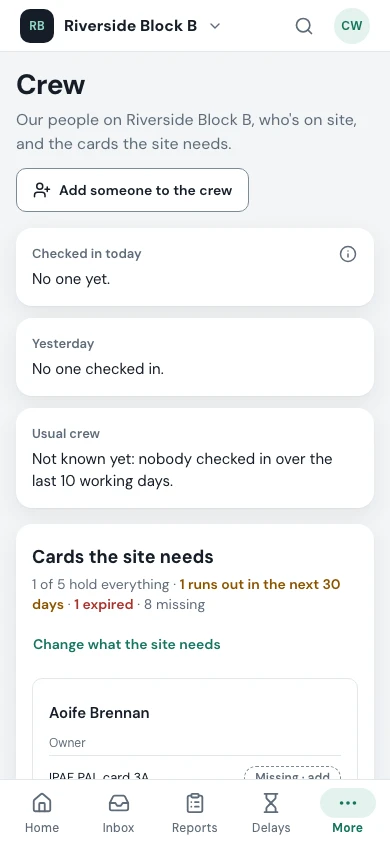 The Crew page, with the check-ins at the top.
Compare with other days
- Look at Yesterday. It lists who checked in yesterday.
- Look at Usual crew. It is the usual number of people on site, from the check-ins of the last 10 working days.
Look at the cards
- Scroll to Cards the site needs. It shows each person's cards and when they run out.
- To change the list, select Change what the site needs.
docketplan shows the cards each person holds. The employer and the site decide who may work.
Checked against the app on 25 November 2026
