Web app · Delays and notices Check a delay record
For the owner and the contracts manager
View as Markdown docketplan drafts a delay record from the crew's messages. You check it and keep it. Keeping a record is your approval. docketplan sends nothing.
Open the record
- Select Delays.
- Select To check. A record from a message says “Not checked yet”.
- Select the record.
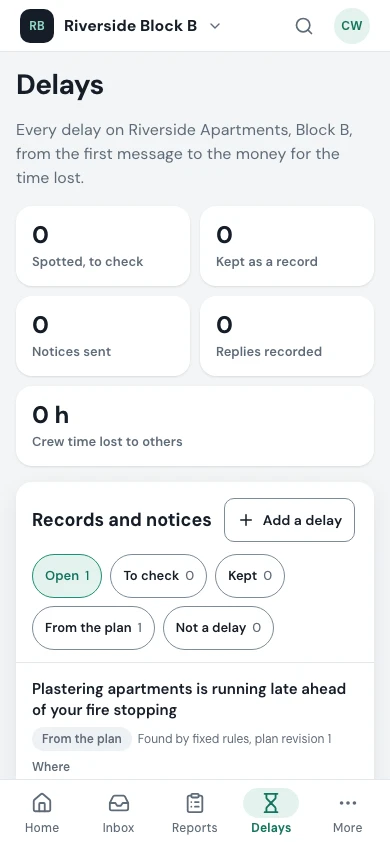 The Delays page, with the records to check.
Check what it says
- Read What happened, Where and Who was held up.
- Compare each line with the messages under Messages. Each line names the message it came from. A line no message gives is left empty.
- If a line is wrong, select Change record and correct it.
- Pick Whose delay it is. It stays “Not confirmed” until you pick.
Keep the record
- If it is a delay, select Keep record. Your name and the time are recorded.
- If it is not a delay, select Not a delay. The record stays in the list under that name.
Next, you can draft a notice from the record, or the variation for the lost time.
NextAdd a delay nobody messaged about Checked against the app on 25 November 2026
