Web app · Payment applications Start a payment application
For the owner and the contracts manager
View as Markdown docketplan works out the sums by fixed rules, with no AI. You type the contract work to date. You approve the application. docketplan sends nothing.
Start it
- Select Money, then Payment applications.
- If this job had an application before docketplan, select Add what was applied for before docketplan first. Type the last application.
- Select New payment application. docketplan starts the next number, such as PA-001. A job has one open application at a time.
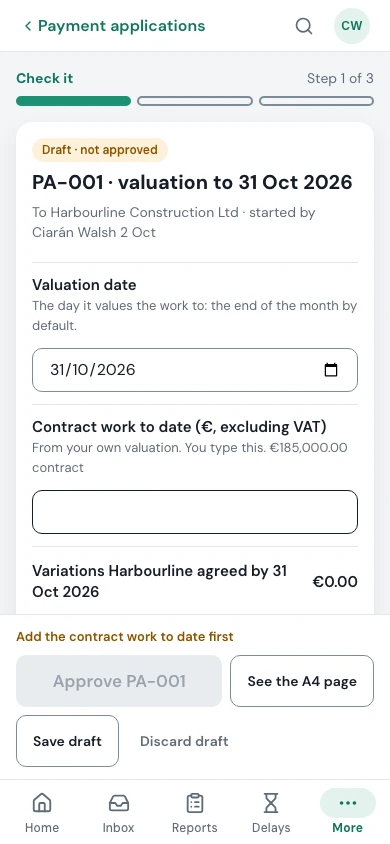 A new payment application, PA-001.
Fill in the work done
- In Valuation date, check the day. It is the end of the month unless you change it.
- In Contract work to date (€, excluding VAT), type the value of the work done, from your own valuation. docketplan does not work it out.
- Look at the variations line. docketplan adds each variation the main contractor approved by that date, at the total they agreed.
- Read Gross to date, Less the last application sent and This application.
Approve it
- Select Approve PA-001. Your name and the time are recorded.
If you are not ready, select Save draft.
See what is left out, and why
NextSee what is left out, and why Checked against the app on 25 November 2026
