Web app · Payment applications See what is left out, and why
For the owner and the contracts manager
View as Markdown A payment application holds only the variations the main contractor approved. docketplan lists every other variation, with the reason.
Find the list
- Open a payment application that is a draft.
- Scroll to Left out, and why.
- Find the variation. Read the reason next to it.
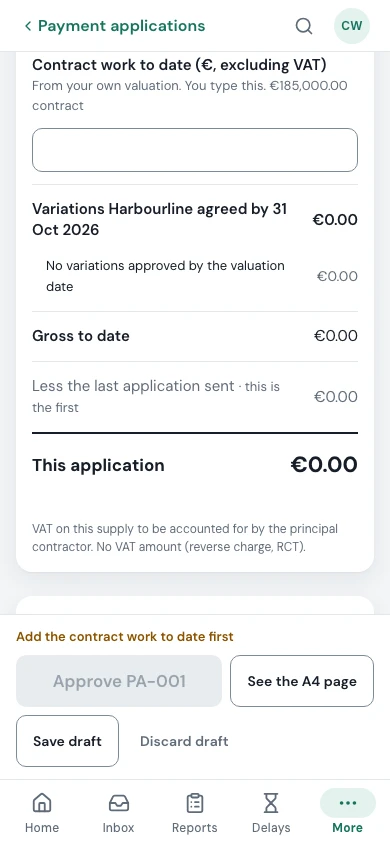 The sums of a payment application. Left out, and why is lower on the page.
What each reason means
- “Still a draft”: you have not approved the variation.
- “Approved, not shared yet”: you approved it, and you have not marked it sent.
- “No answer from Harbourline recorded yet”: you sent it, and no answer is recorded.
- “Declined”: the main contractor declined it.
- A variation approved after the valuation date waits for the next application.
Get a variation in
- Open the variation. Do the next step on its page.
- When the main contractor approves it and you record the answer, it goes into the application.
If every variation is in, the list says “Nothing: every variation on this job is in it.”
Record the main contractor's answer
NextMark a payment application sent Checked against the app on 25 November 2026
