Web app · Variations Start a variation by hand
For the owner and the contracts manager
View as Markdown Nothing goes to the AI. Your note is where the variation came from, with your name and the time. Prices come from your rate card or from you.
Use this when someone asked for extra work by phone, or no message came in.
Start it
- Select Money, then Variations.
- Select New variation.
- Select Start one by hand.
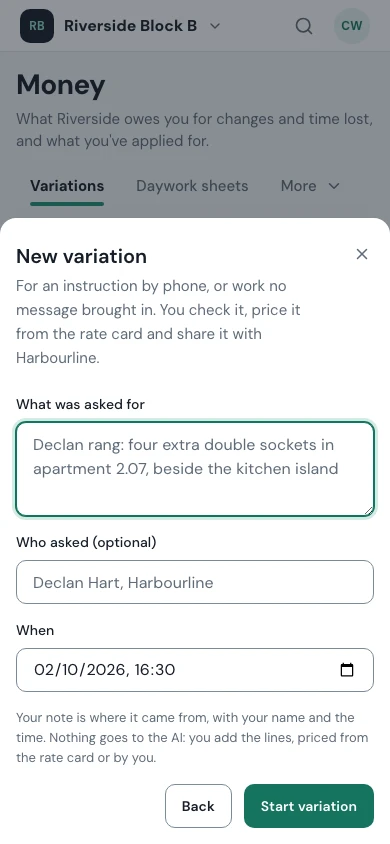 The form to start a variation by hand.
Say what was asked
- In What was asked for, write what the main contractor asked for.
- In Who asked (optional), write their name.
- In When, pick the day and the time they asked.
- Select Start variation.
Add the lines
- Select Add a line for each part of the work.
- For each line, pick an entry from your rate card, or type a price yourself.
A line with no price blocks approval. Price every line first.
Check and approve a variation draft
NextExport a variation for a dispute Checked against the app on 25 November 2026
